An alarm for the part that matters

The hardest part isn't the run. It's starting.

RunStart is the alarm that gets you moving. Set a time, choose a short distance, and start walking or running when it rings.

Coming Soon on the App Store See how it works

Not a workout tracker. A way to get out the door.

Alarm set6:30 PM
Just enough300 m
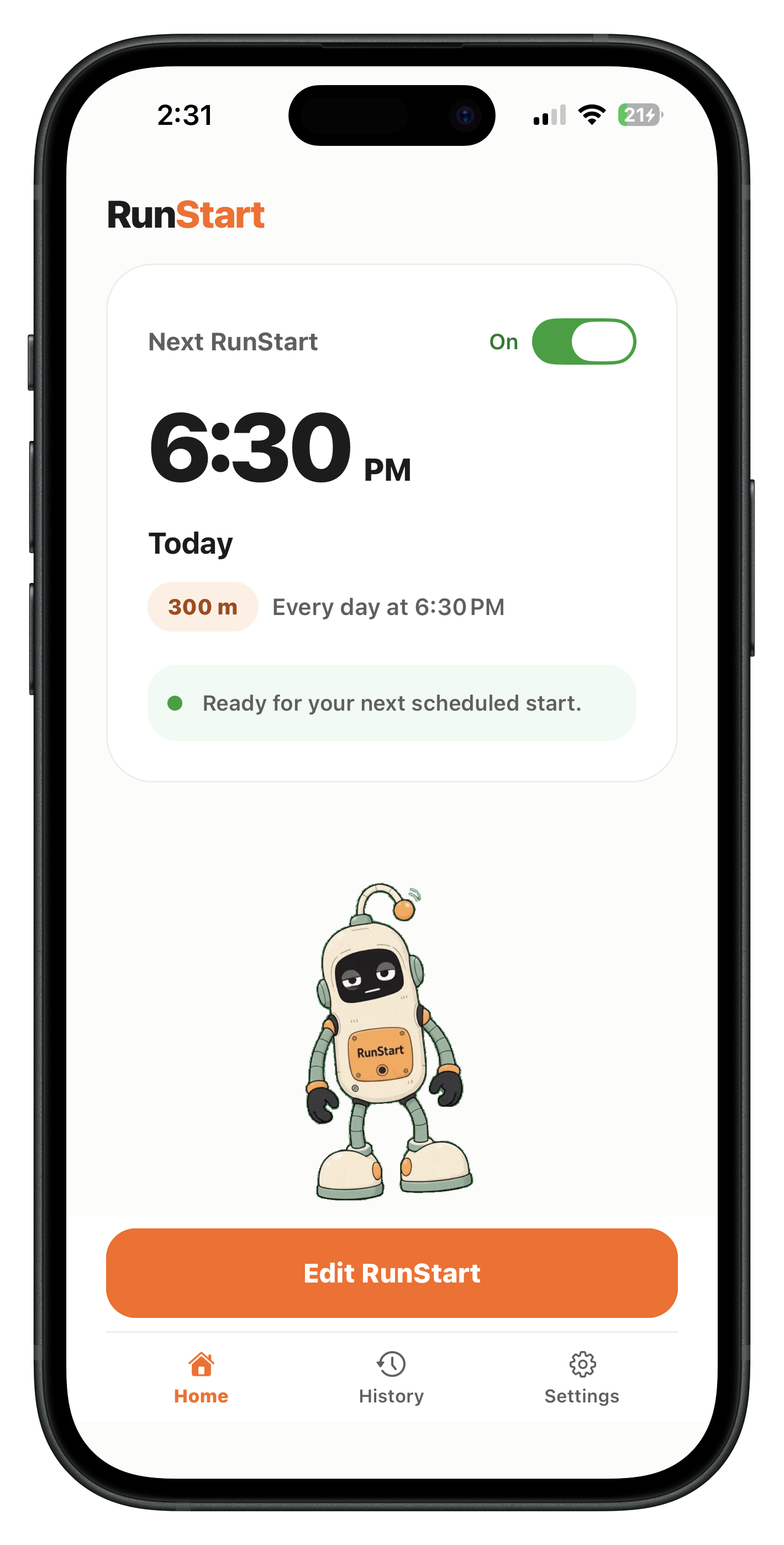
RunStart home screen showing a scheduled 300 metre start and the robot companion

One clear sequence

From alarm to momentum.

You don't need to plan the whole run again. You only need to follow the next step.

1ReadyYour next start is scheduled.
RunStart home screen with the next scheduled alarm
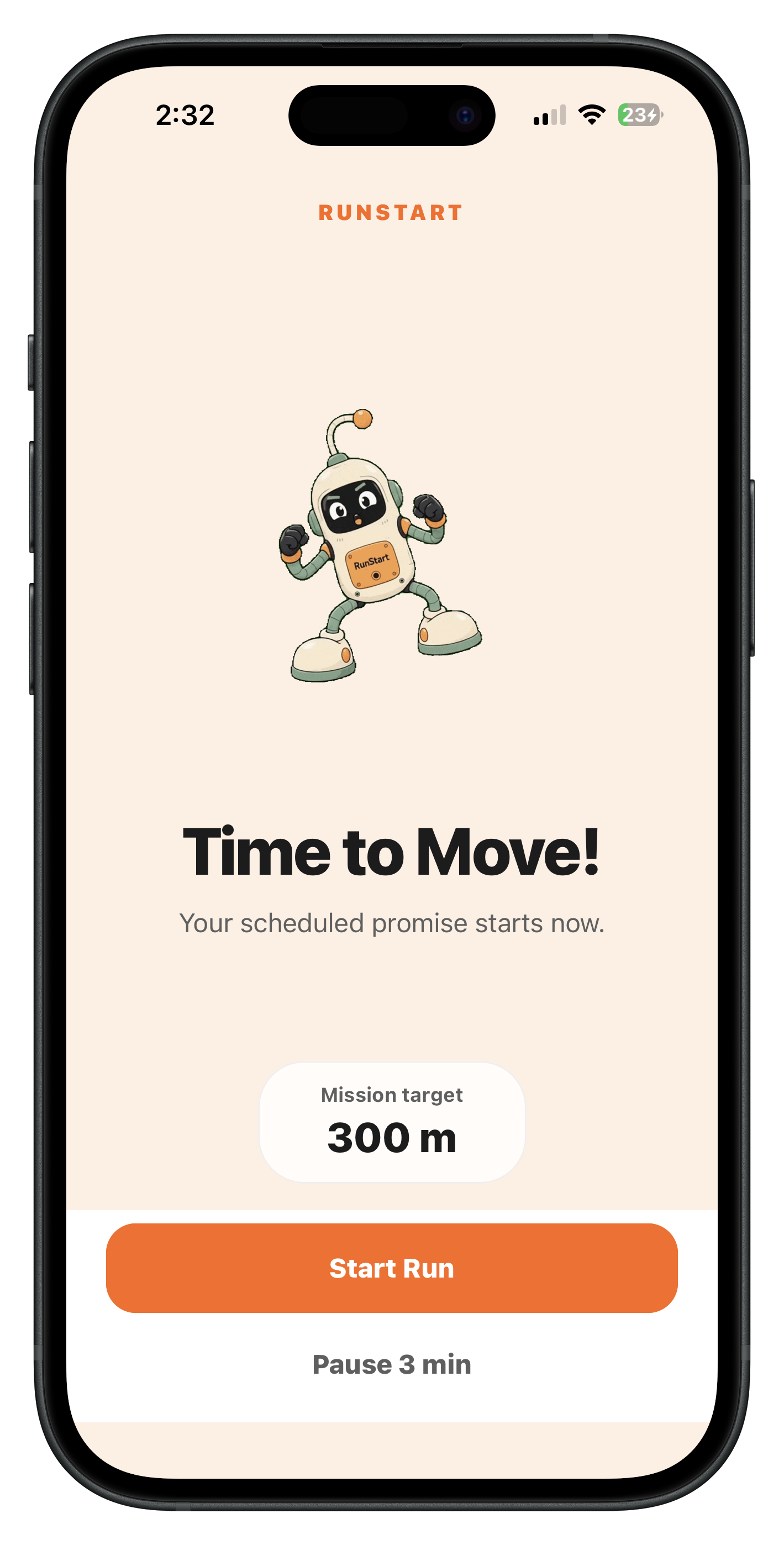
2Alarm ringsChoose Start Run.
RunStart alarm screen with Start Run and Pause actions
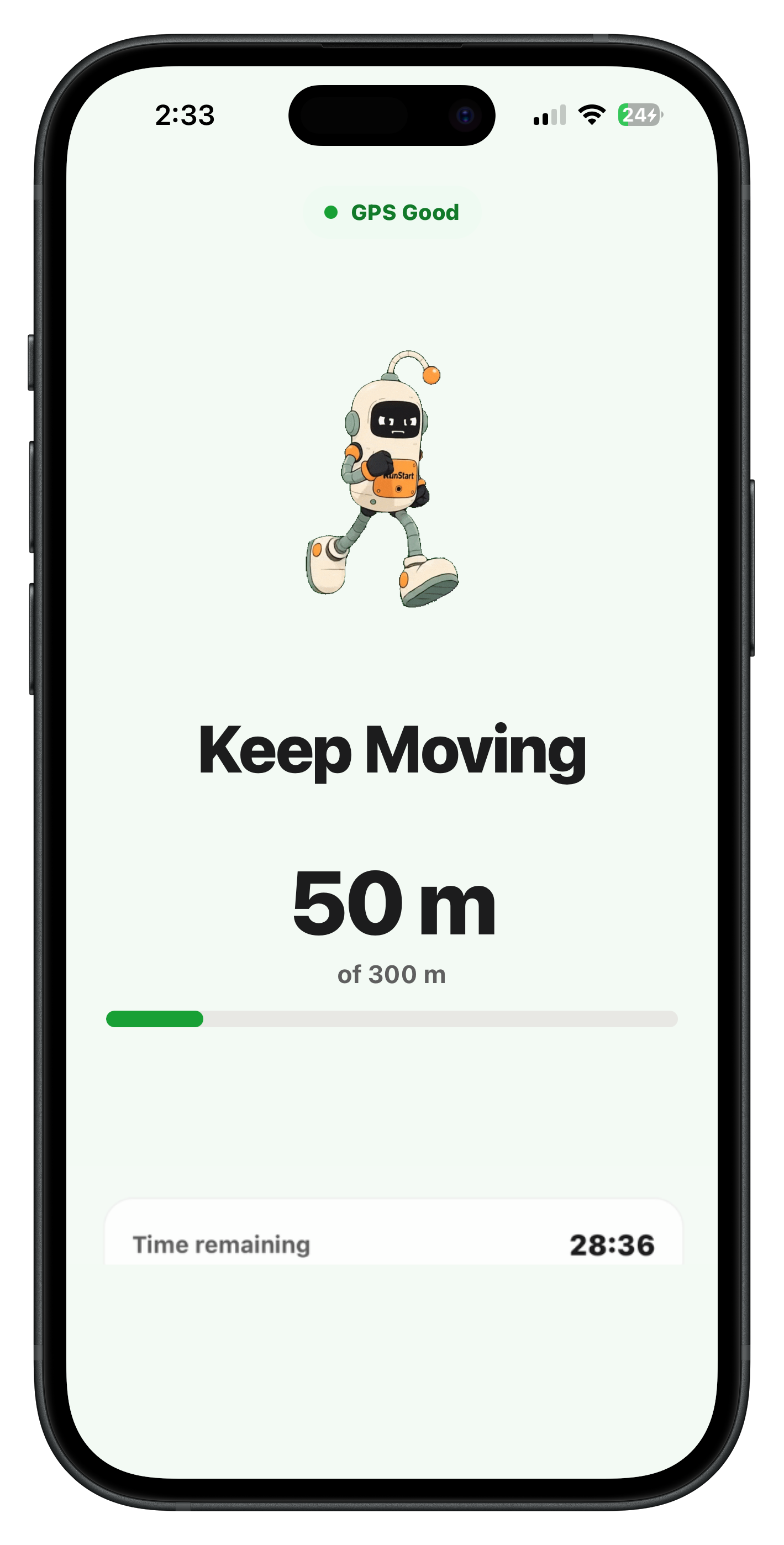
3MoveWalk or run your short target.
Active RunStart mission showing GPS status and distance progress
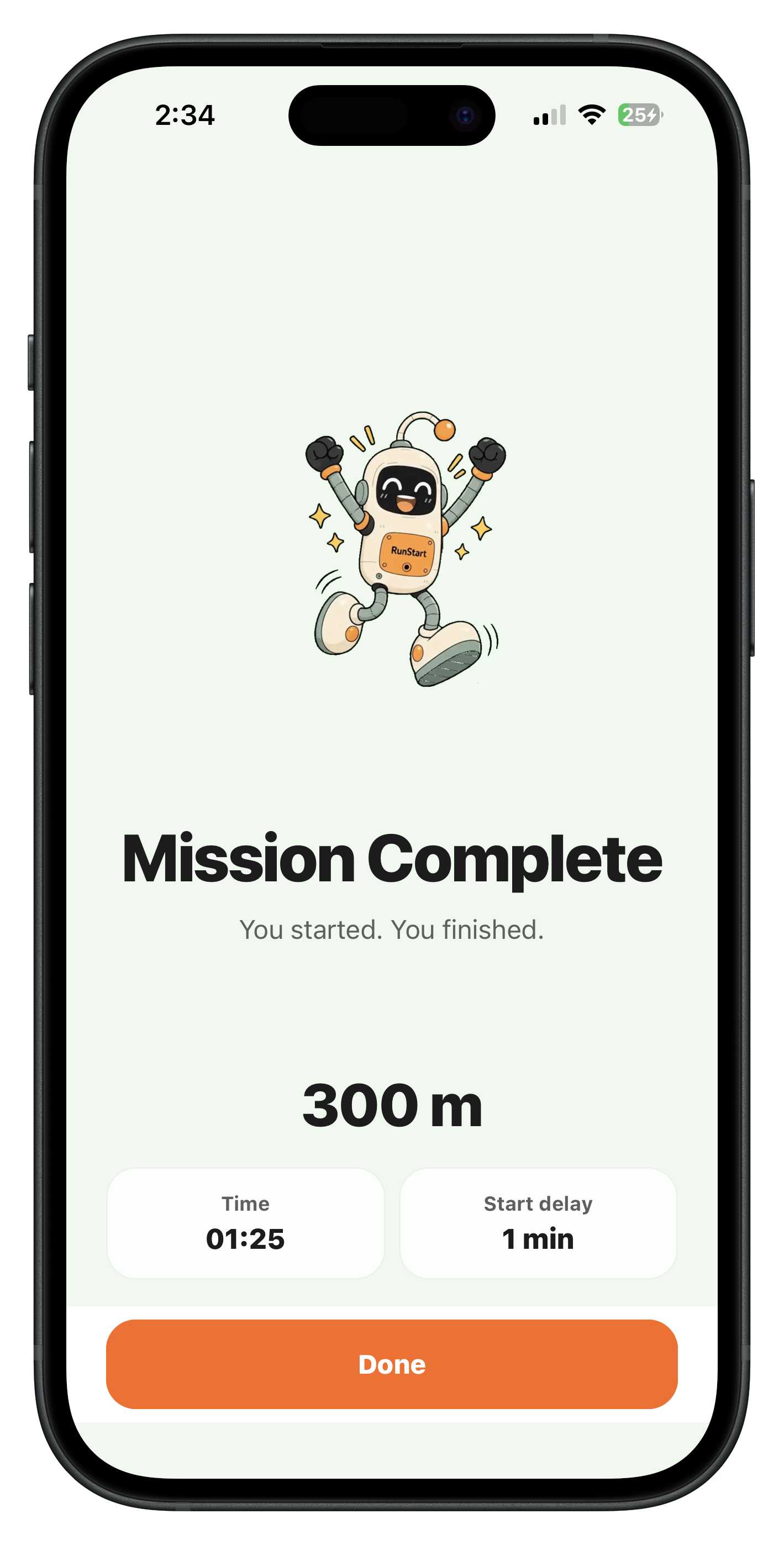
4StartedReach the target. Mission complete.
RunStart mission complete screen showing 300 metres finished

The familiar pattern

You already planned the run.

Then the time comes.

The couch feels comfortable.

Something else pops up.

You say “later.”

Then “tomorrow.”

A smaller promise

You don't need motivation for the whole run.

You just need enough momentum to get outside. Once you're moving, continuing gets easier.

How RunStart works

The next action is always obvious.

  1. Alarm rings

    Your scheduled promise arrives at the time you chose.

  2. Start Run

    Tap once and let RunStart find your location.

  3. Walk or run

    Carry your phone and move outdoors toward your target.

  4. Mission complete

    Reach the short distance. The starting part is done.

Choose your starting line

Short on purpose.

RunStart only needs to get you moving—not track the whole workout.

200 m

Just get me outside

300 m

Build some momentum

500 m

Make sure I'm really going

Make the decision earlier

Set the time before excuses arrive.

Choose one start, repeat it every day, or pick the weekdays that fit your life. Turn a schedule off without deleting it.

OnceDailyCustom weekdays
Next RunStartOn

6:30 PM

Today

300 mOnce at 6:30 PM

Ready for your next scheduled start.

RunStart active mission displaying GPS Good and 50 metres of 300 metres

Movement verification

Progress comes from real movement.

RunStart uses GPS and movement signals together to confirm walking or running. It filters stationary drift, weak readings, unrealistic jumps, and vehicle-speed movement.

  • GPS Good

    Keep moving toward your target.

  • GPS Limited

    Move outdoors for a clearer signal.

  • Moving too fast

    Distance pauses until you're walking or running again.

GPS conditions vary. RunStart does not claim perfect distance accuracy.

A reluctant little companion

Not a coach. More like a friend who also doesn't feel like going.

“I don't really feel like going either... but come on, let's just start.”

Supportive, slightly tired, and never judging. The robot stays with you from the alarm to mission complete.

RunStart robot companion walking Static RunStart mission screen with the robot companion walking

Simple history

See the starts you kept.

RunStart keeps a straightforward record of completed and missed missions, plus your current-week progress. No advanced fitness analytics. No performance pressure.

This weekCompleted and missed
  • Mission outcomeCompleted or missed
  • Short targetDistance completed
  • Your startTime, delay, and pauses

Frequently asked

A few things to know.

Need more detail? Visit RunStart Support.

Is RunStart a full workout tracker?

No. RunStart focuses on getting you through the first short distance so your walk or run actually begins.

What distances can I choose?

Choose 200 m, 300 m, or 500 m. Each target is intentionally short enough to create momentum.

How does movement verification work?

RunStart compares GPS and movement signals to confirm walking or running. Weak GPS, stationary drift, or vehicle-speed movement may not count.

What happens if GPS is weak?

RunStart may show GPS Limited or Poor GPS signal and ask you to move to an open area. Your 30-minute mission window continues while it looks for reliable movement.

Is the first RunStart free?

Your first completed RunStart is free. It is only used when you successfully complete the mission—not when you schedule, pause, miss, or have GPS trouble.

When can I download RunStart?

RunStart is coming soon to the App Store. There is no public App Store link yet.

The run can take care of itself

Start with the first 300 metres.

Set the time. Let the alarm make the moment clear. Then move.

Coming Soon on the App Store